1.7 Data visualization

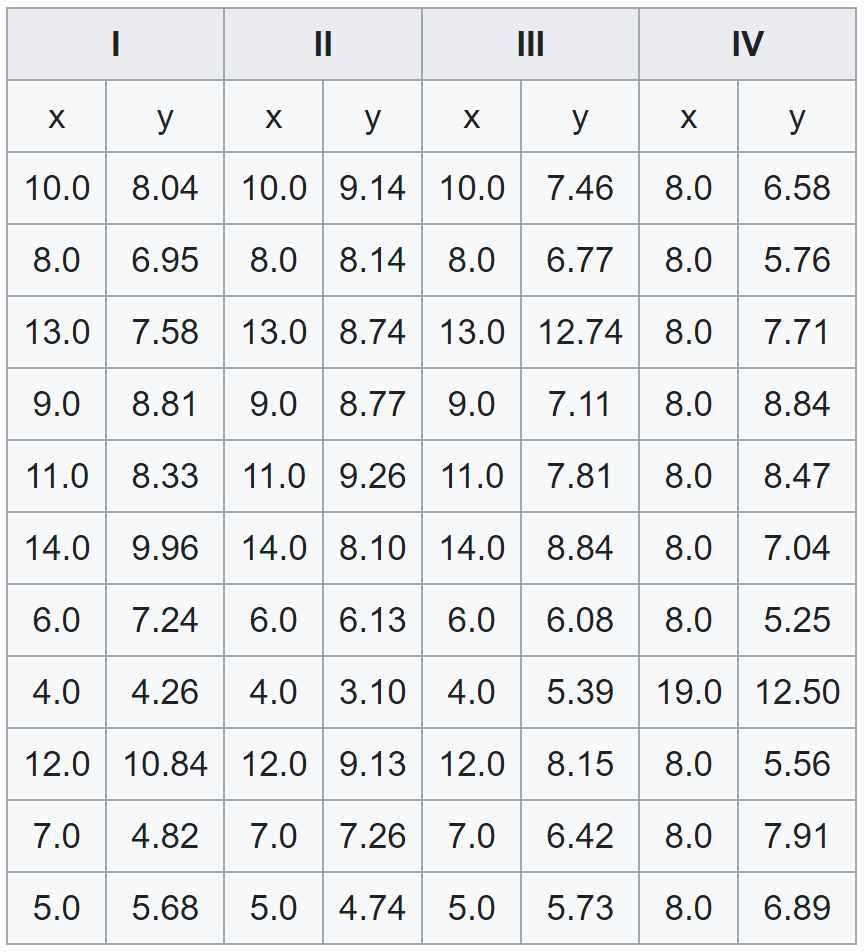
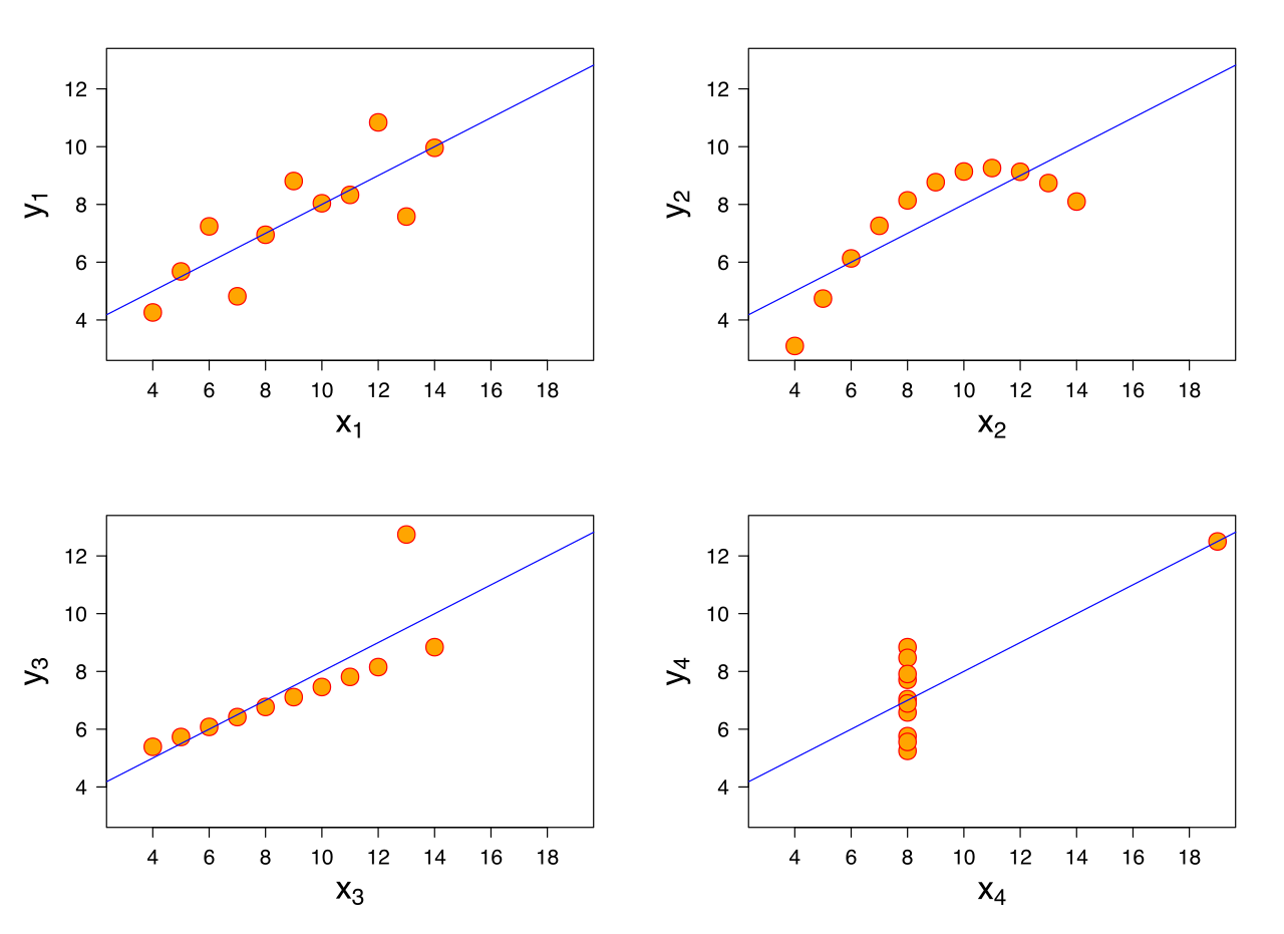
Anscombe’s quartet

Anscombe’s quartet

All four data sets share the same following statistics:

Statistics Value
Sample mean of \(x\) 9
Sample variance of \(x\) 11
Sample mean of \(y\) 7.50
Sample variance of \(y\) 4.125
Sample correlation between \(x\) and \(y\) 0.816

Anscombe’s quartet

Heights (in feet) of 216 volcanoes


\[19882, 19728, 19335, 19287, \cdots, 617, 555, 529, 242\]

volcano-heights.csv

Histogram

Code
import pandas as pd
import altair as alt

df = pd.read_csv('data/volcano-heights.csv')

alt.Chart(df).mark_bar().encode(
    alt.X('height', bin=alt.Bin(extent=[0, 20_000], step=1000), title='Volcano height (feet)'),
    alt.Y('count()', title='Count'),
    tooltip=[
        alt.Tooltip('height', bin=True, title='Height range'),
        alt.Y('count()', title='Count'),
    ]
).properties(
    width=900,
    height=300,
).configure_axis(
    labelFontSize=24,
    titleFontSize=24,
).interactive()

Plotting with Python

  • First go to Google Colab and sign in.
  • Open a new notebook.


Read in the external CSV file as a pandas data frame

import pandas

url = "https://imse317.github.io/lecture-slides/ch01/data/bank.csv"
bank = pandas.read_csv(url)
bank.head()

Plotting with Python

We use the Vega-Altair data visualization library.

Create a basic histogram of customer ages

import altair as alt

alt.Chart(bank).mark_bar().encode(
    alt.X('age', bin=True),
    alt.Y('count()')
)

For some custom control of bin settings

import altair as alt

alt.Chart(bank).mark_bar().encode(
    alt.X('age', bin=alt.Bin(extent=[0, 100], step=5)),
    alt.Y('count()')
)